
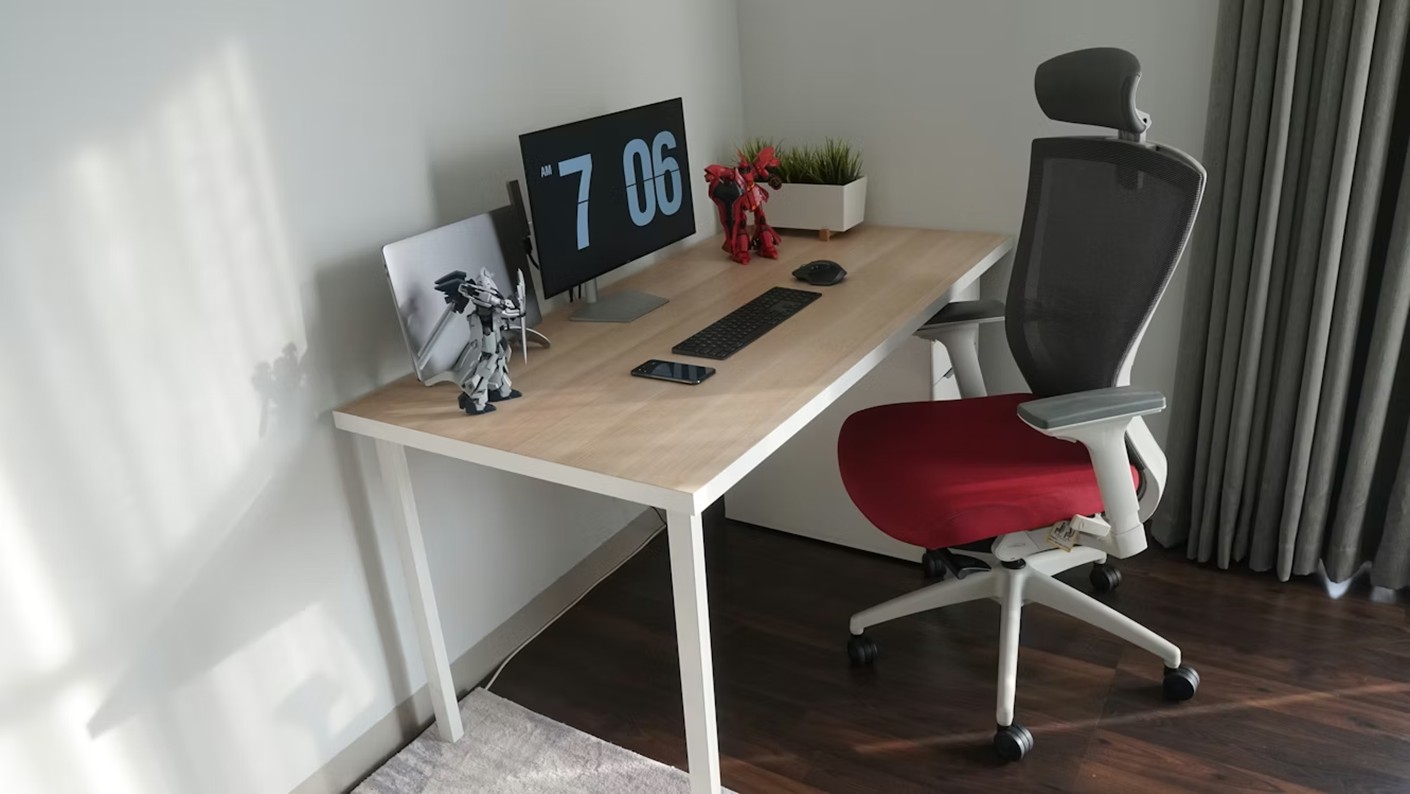
Spending long hours in front of the computer can become a health problem if you don’t pay attention to a fundamental detail: the ideal desk chair height. This adjustment, which many overlook, makes the difference between ending the day full of energy or with aches that affect your well-being and performance.
The height of your desk chair should be adjusted so that your feet rest comfortably on the floor, forming a 90-degree angle at the knees. This basic principle of ergonomics is the starting point for creating a workspace that takes care of your body while you carry out your daily tasks.
When looking for desk chairs that suit your needs, it is essential to consider those with adjustment systems that allow you to customize the height according to your height and the characteristics of your work table.
Why the ideal desk chair height matters for your health
Correctly adjusting the height of the desk chair achieves a balanced distribution of body weight and a better alignment of the spine, helping to reduce the burden on muscles and joints, preventing back pain and cervical problems, neck, shoulders, and upper extremities.
When the chair is too low, your knees are raised and exert pressure on the lumbar area. On the contrary, if it is too high, your body tends to lean forward to compensate for the lack of support on the feet, generating tension in the upper back and trapezius muscles.
Maintaining an ergonomic posture also improves productivity and focus, as having a correct and comfortable position facilitates concentration on tasks, thus avoiding distractions and fatigue. A correctly adjusted ergonomic chair not only prevents physical problems but also transforms your daily work experience.
How to adjust your desk chair: Practical and effective steps
Adjusting your chair doesn’t have to be complicated. Office chairs should have a gas lift system, usually with the adjustment lever under the seat and on the right side, making it easy to adjust while seated.
Follow these steps to achieve the correct desk posture:
Step 1: Adjust the seat height
If you have an adjustable table, first adjust the ergonomic chair so that your feet rest on the floor and a 90-degree angle is formed between the thigh and leg, sitting with your back supported by the backrest. For medium height people (around 1.70 m), the seat height is usually between 43 and 53 cm from the floor.
Step 2: Check the knee angle of the chair
Joints such as knees, elbows, and hips should form a 90-degree angle, with feet resting on the floor or on a footrest, which helps maintain the knees at the correct angle. This is one of the clearest indicators that you have found the ideal height.
Step 3: Align your arms with the desk
You will know you are at the correct height when your arms form a 90-degree angle by resting them on the table, with a relaxed posture without raising your shoulders so that your elbows are in line with the desk. This alignment is crucial to avoid tension in shoulders and wrists.
Step 4: Adjust the seat depth
The perfect posture is one that allows about 2 cm between the bottom of the knee and the front edge of the seat. This space prevents the edge of the seat from exerting pressure on the back of the thigh, which could affect circulation.

Ergonomic chair height: Features to look for
Not all chairs offer the same adjustment possibilities. When choosing an ergonomic chair, look for these features:
- Gas lift system: Allows smooth and precise adjustments while seated
- Wide range of height: At least 10 cm of difference between the lowest and highest position
- Adjustable lumbar support backrest: To adapt to the natural curvature of your back
- Adjustable armrests: Ideally in height, depth, and angle
- Stable five-point base: Ensures safety and mobility
Most office chairs have an adjustable height range of between 41 and 53 cm from the floor to the seat, as this is a range that suits most users. However, if you are very tall or very short, consider options with special pistons that extend this range.
Correct desk posture: Beyond chair height
The ideal desk chair height is just one part of the ergonomic equation. To complete your setup, consider these additional elements:
Monitor position
The computer screen or monitor should always be at eye level to avoid the need to tilt your head up or down, at a minimum distance of 50 to 70 cm depending on the screen size. You can reach out your arm to check that the distance is approximately the length of your limb.
Keyboard and mouse placement
The height of the elbow should practically match the middle row of the keyboard, adjusting the keyboard elevation so that the forearms, wrists, and hands are in a neutral and comfortable position.
Use of a footrest
If after adjusting your chair your feet do not fully reach the floor, a footrest may be the solution. A footrest provides an adequate support surface for your feet, allowing a more comfortable position and better alignment of the spine.
Knee angle of the chair: The rule of 90 degrees
The knee angle of the chair is a key indicator of correct ergonomic posture. It is advisable to maintain the angle for the hip, knees, and feet between 90 to 110 degrees, meaning that when seated, these parts should be in an “L” shape, achieved by adjusting the seat in height and depth.
This angle not only protects your joints but also promotes blood circulation in the legs. When the knees are higher than the hips, unnecessary pressure is exerted on the lumbar area. If they are too low, you may experience tension in the back of the thighs.

Common mistakes when adjusting your chair height
Avoid these common errors that compromise your posture:
- Leaving your feet dangling: This creates pressure on the back of the thighs and affects circulation
- Sitting on the edge of the seat: Prevents the back from receiving proper support from the backrest
- Placing the chair too far from the desk: Forces you to lean forward, straining the back
- Ignoring the height of the armrests: If they are too high, you shrug your shoulders; if they are too low, you hunch over
- Not adjusting the chair when changing shoes: Heeled shoes or thick soles change your effective height
Additional tips for maintaining a healthy posture
Beyond finding the ideal desk chair height, incorporate these habits:
- Take active breaks every hour: Stand up, walk, and stretch your body to prevent muscle stiffness
- Change your posture regularly: Even the best posture becomes uncomfortable if maintained without variation
- Strengthen your muscles: Core and back exercises will help you maintain a correct posture with less effort
- Review your setup periodically: Your needs may change over time
Each of these tips has a common factor: a correct posture and constant movement, allowing you to position your feet, knees, and legs correctly to avoid unnecessary pain at work, as well as eliminate that feeling of fatigue.
Finding the ideal desk chair height is an investment in your health and productivity. By ensuring that your feet rest fully on the floor, your knees form a 90-degree angle, and your arms align correctly with the desk, you are creating optimal conditions to work without pain or fatigue.
Remember that ergonomics is not a luxury but a necessity for those who spend long hours seated. Take a few minutes to adjust your chair correctly and complement this setup with active breaks and regular posture changes. Your body will thank you with less pain, more energy, and better focus on your daily tasks.
Referrer: MiMub in Spanish